We Can Now Report CE Hours for NBCOT Certification Through CE Broker
CEU4FL can now help occupational therapy professionals report eligible continuing education hours for NBCOT certification tracking through CE Broker.
This may be useful for OTs and OTAs who maintain an active NBCOT certification, such as OTR or COTA. Your Florida occupational therapy license and your NBCOT certification are separate. In Florida, your state license is what allows you to practice. NBCOT certification is optional to maintain, but many professionals choose to keep it active.
If you have an active NBCOT certification and want to maintain it, you must renew it every three years and complete the required continuing education hours. Now, when your NBCOT certification is linked to your CE Broker account, CEU4FL can help report eligible CE hours you complete with us so they can be tracked for your NBCOT certification.
Why This Matters
NBCOT allows CE Broker to be used as a way to help track continuing education hours. This means that, when everything is properly linked, your completed eligible courses may be reported through CE Broker instead of being entered manually one by one.
Once your NBCOT certification is connected to your CE Broker account, and your NBCOT certification number is added to your CEU4FL account, we can report eligible hours for you.
This can help keep your completed hours organized in CE Broker when it is time to renew your NBCOT certification.
Who Should Do This?
You only need to complete this setup if you have an active NBCOT certification, such as OTR or COTA, and you want to keep that certification active.
If you do not have an NBCOT certification, you do not need to do anything else. This does not affect your Florida occupational therapy license.
What You Need to Do
To use this option, you will need to link your NBCOT certification to your CE Broker account. You will also need to add your NBCOT certification number to your CEU4FL account so we can report your hours correctly.
This setup only needs to be completed once. After that, eligible CE hours completed with us can be reported through CE Broker for your NBCOT certification.
How to Link Your NBCOT Certification in CE Broker
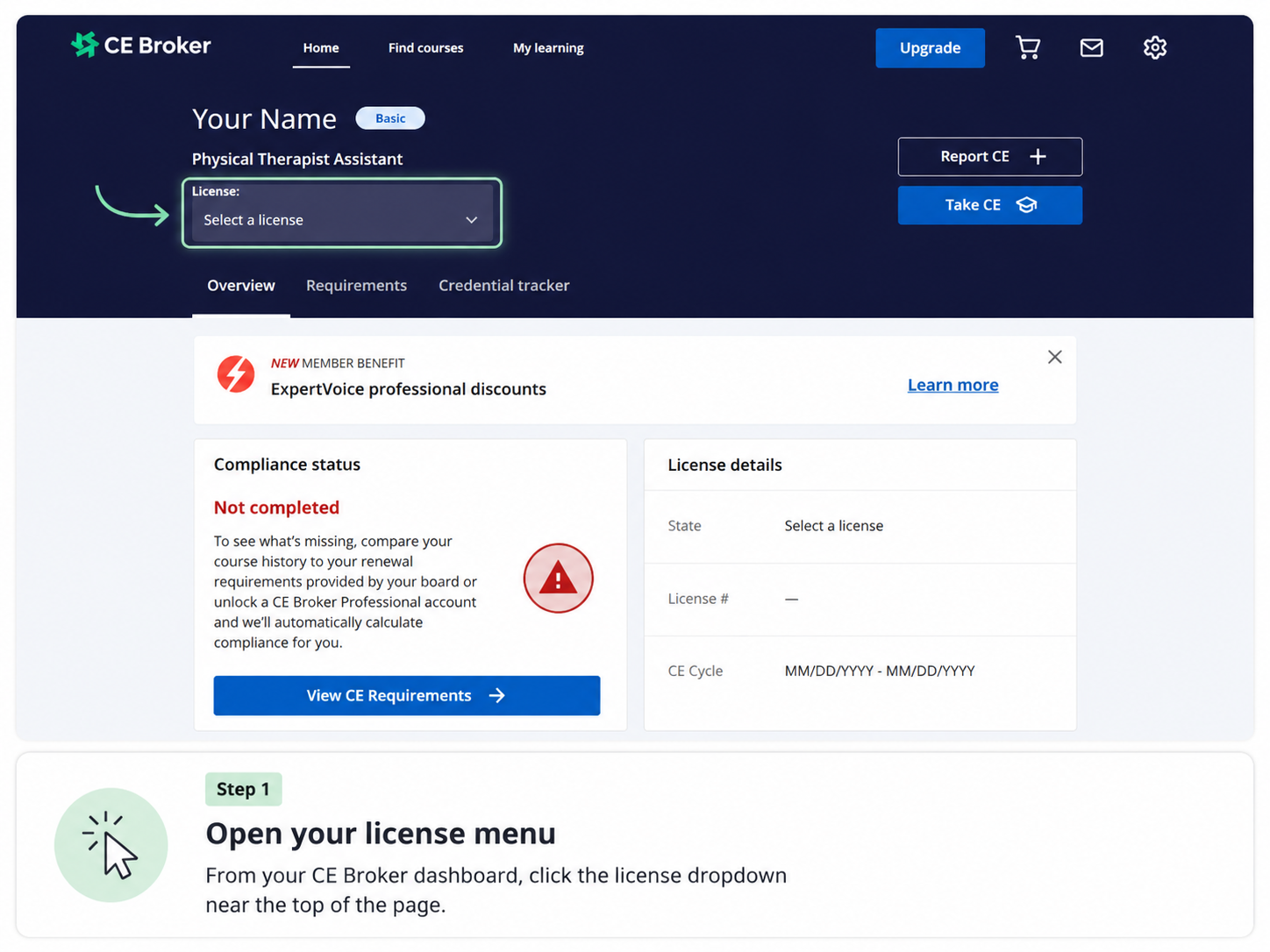
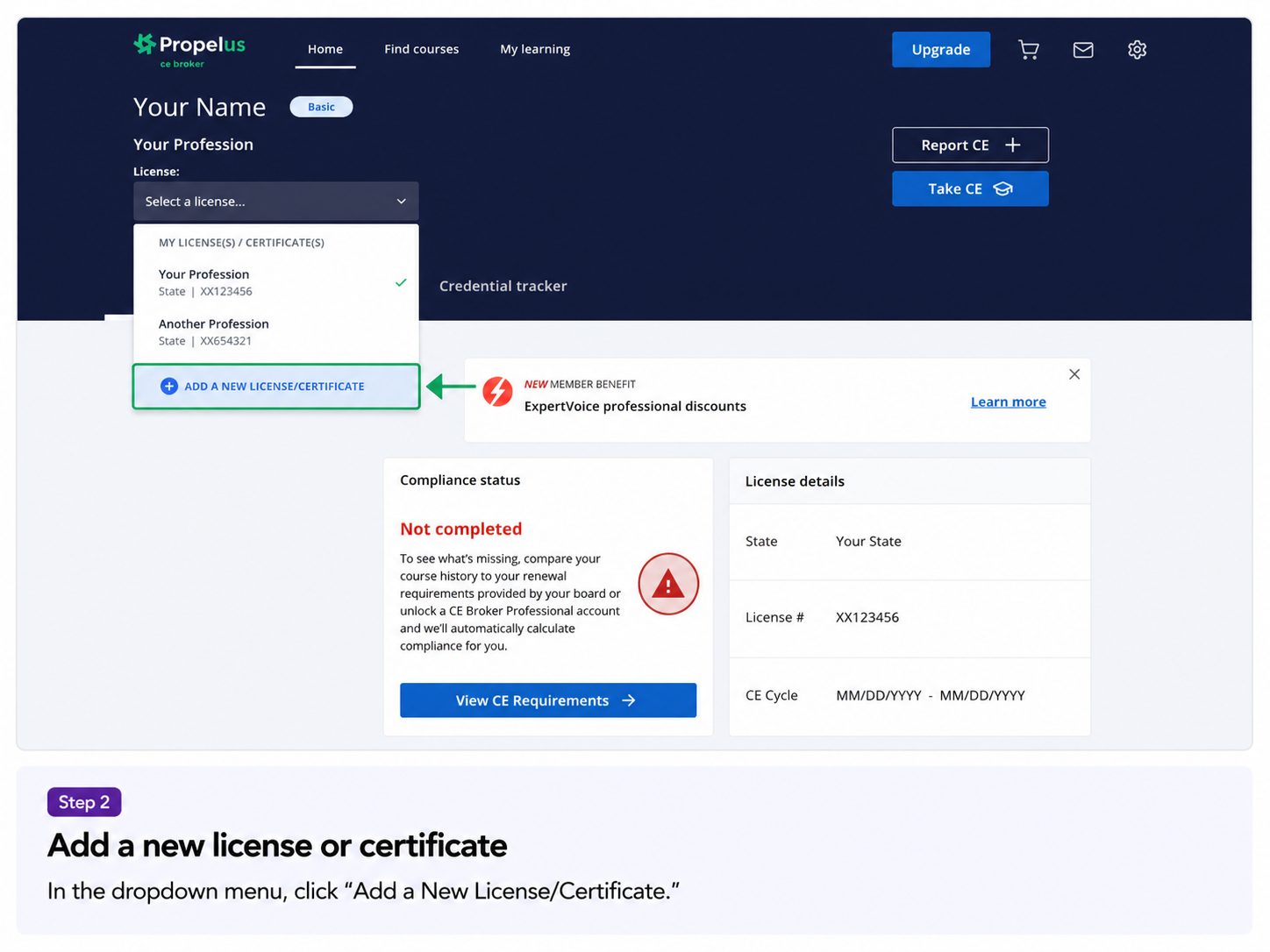
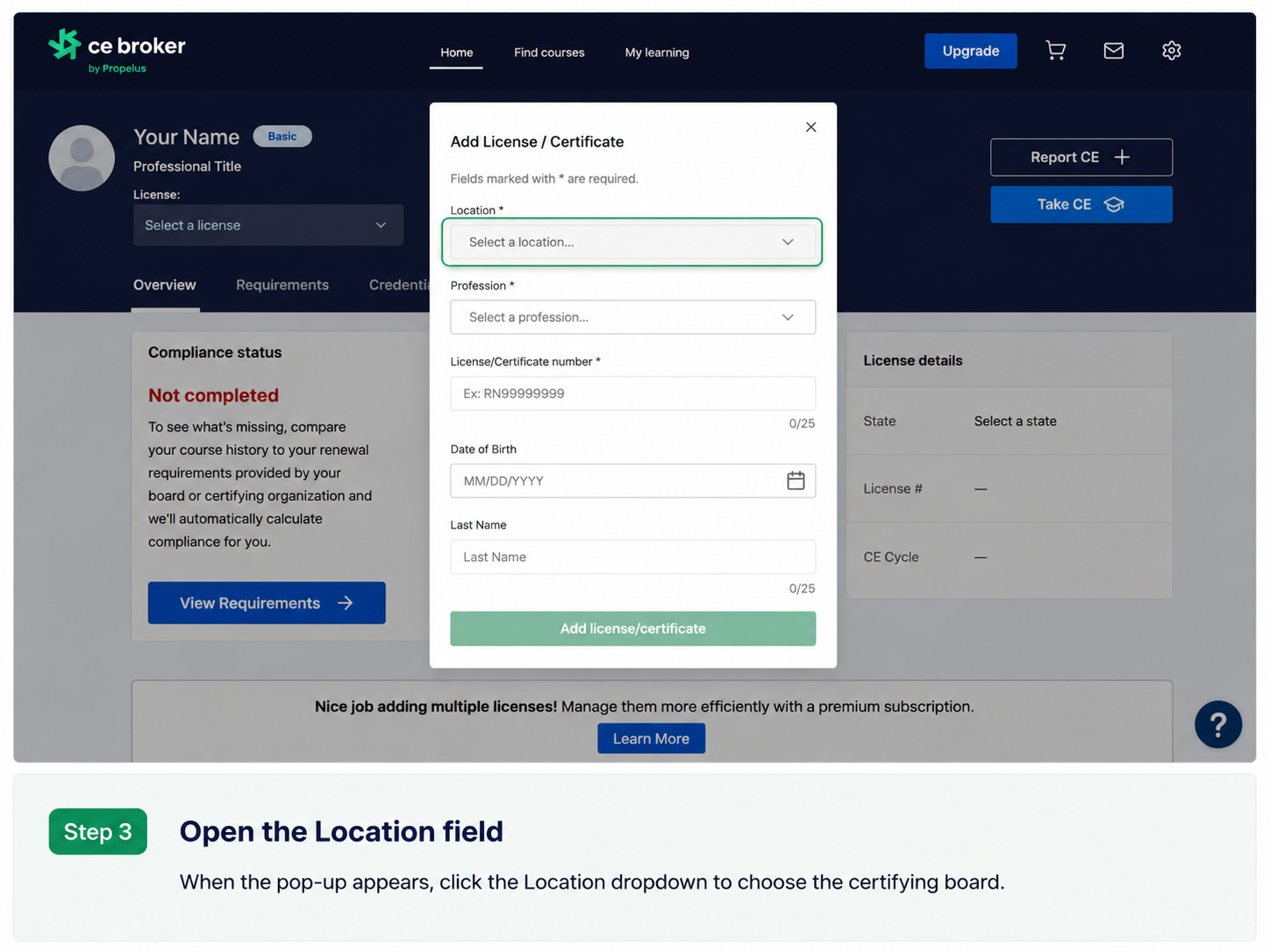
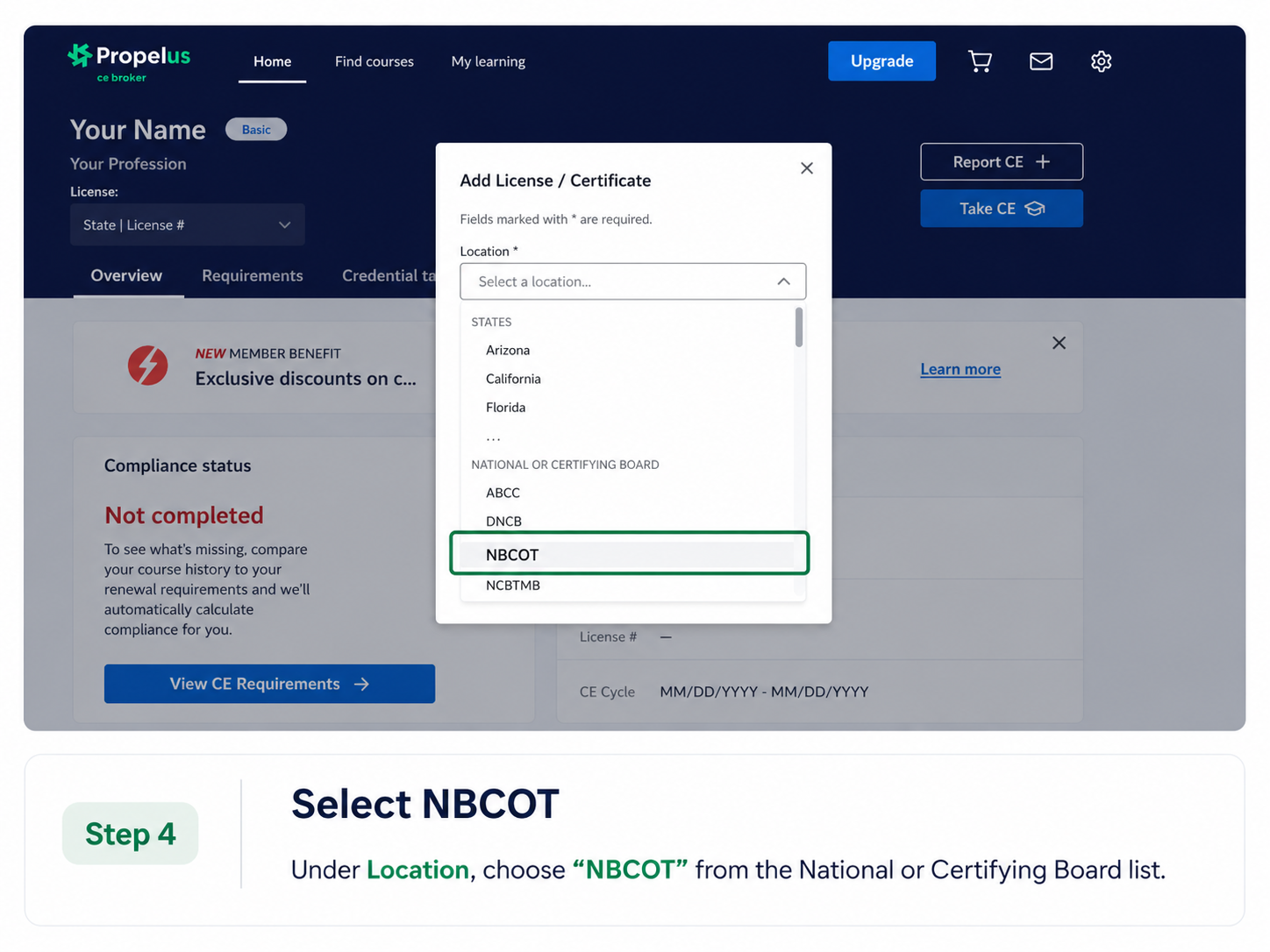
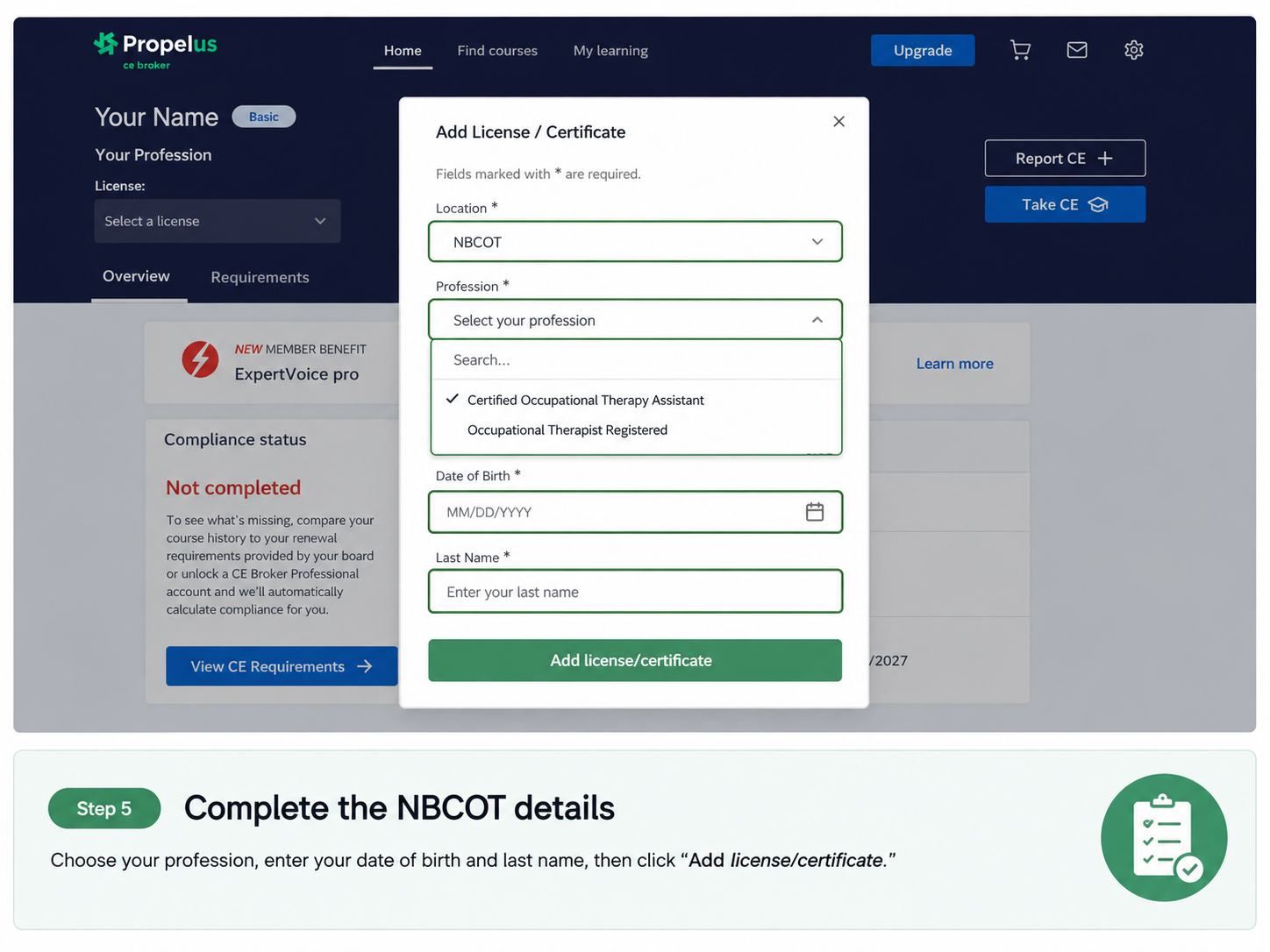
Follow the steps below to add your NBCOT certification to your CE Broker account.
Final Step: Add Your NBCOT Certification Number in CEU4FL
After you add your NBCOT certification to your CE Broker account, log in to your CEU4FL account and go to Settings.
In Settings, add your NBCOT certification number. This allows us to report your eligible CE hours correctly through CE Broker.